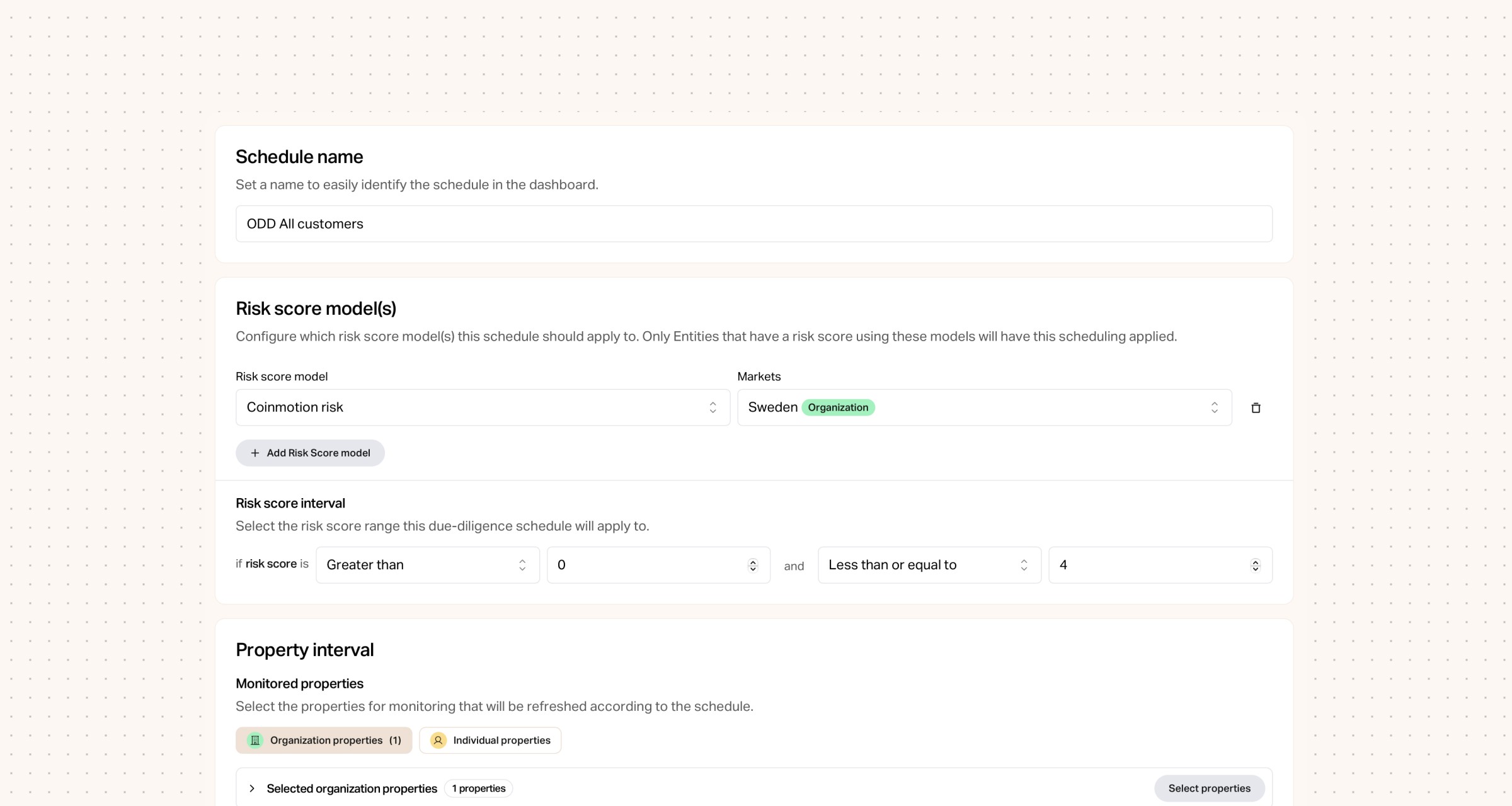
Ongoing Due Diligence. This feature allows you to schedule your customers to renew their data/answers to questionnaires etc. In simple words this is how it works:
Schedule name - For each schedule that you are creating it need to have a name. The recommendation is to set a name that is descriptive of what it is for. E.g., High-risk.
Risk score model(s) - As describe above you’ll need to decide and configure to which risk score model(s) the schedule should apply to. Meaning that only entities that have a risk score using these models will have this scheduling applied. E.g.., Customer Risk Score
Risk score interval - Select the range of the risk score that this schedule will apply to. E.g., Greater than or equal to 3 and Less than or equal to 4 (meaning your customers with the highest risk).
Monitored properties - Select the properties of your customers that should be monitored to ensure that you have up-to-date information about your customers. E.g., address, organization status, questionnaire answers to 3 questions.
Refresh frequency - Decide how often/how old the data in the monitored properties can be. E.g., 12 months.
Advanced notice - Decide how far in advance you want to be notified regarding the expiring monitored properties.


Bits raises €12M Series A to unify AML for European fintechs
Bits raises €12M Series A led by Alstin Capital to accelerate product development and help regulated businesses expand across Europe without rebuilding compliance.

Bits Technology partners with Cardlay to deliver enhanced KYC and compliance capabilities
Bits partners with Cardlay to integrate automated KYC and compliance into card spend management, giving finance teams a seamless, regulator-ready experience.

Bits Technology launches automated KYB in Italy
Bits launches automated KYB in Italy, making compliant business onboarding faster and more reliable despite Italy's complex registry data and regulatory environment.