
We're happy to announce a new major feature in our platform: Custom questions.
The short version
You can now add and change questions (and follow-up questions) to a questionnaire and also use the response in your risk model.
Keep reading if you want to understand more specifically what this enables you to do Questionnaire features
One of the most requested features we have ever had is the ability for customers to easily make changes to the questionnaire. This includes things such as:
Change the question from the pre-defined question bank. Usually modify the wording to make it more specific to your business profile or your customer type.
Add your own questions. Every business is different and even though we covered the basics, there are often specific questions that you want to ask your customer so that you don't have to reach out to them again afterwards.
Add follow-up questions. Depending on what the customer answered, you may want to dig into the details and ask even more specific questions.
Add your own
Pagesto the questionnaire. Customers move to the next page by pressing "Next", so you can group questions that belong together on the same page.
What do I need to do?
The questionnaire builder looks almost the same as before and you don't need to make any changes to existing questionnaires.
One difference is that instead of removing questions you don't want, you start by adding the questions you want, be it questions from the question bank (pre-defined questions) or your own questions.
Questions + Risk = Magic
This is a bit more advanced, but if you want questionnaire answers to affect the risk score, keep reading!
We have previously introduced the concept of
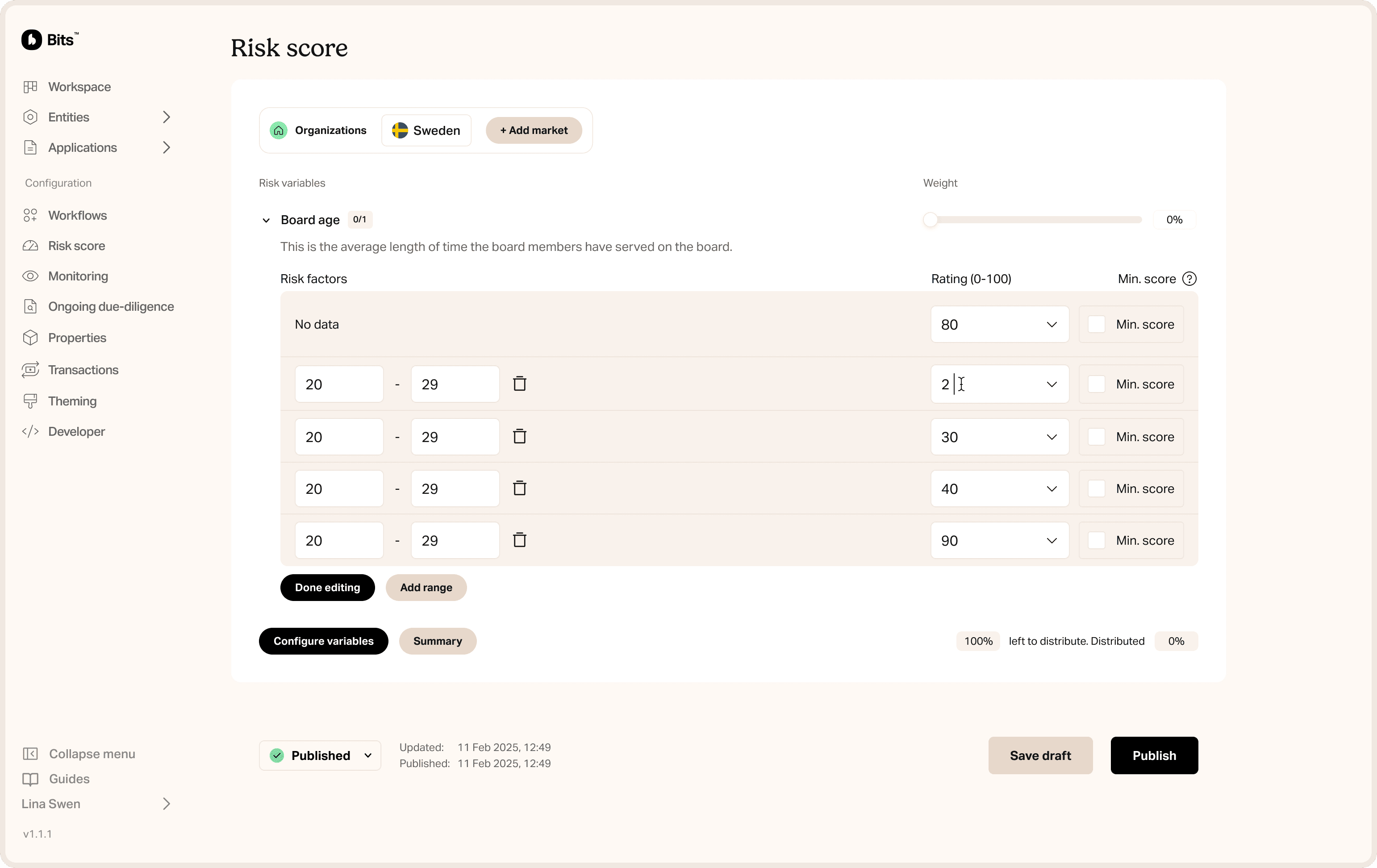
Propertiesto the platform, which enables you to add data fields that you are interested in to your customer profiles. These properties are also available in the risk model, enabling you to create risk models that are custom to your business needs.With Custom Questions, you can map the answers to a question to one of your Properties. Altogether this now means that the answer to a question will immediately affect the risk score.
Here is an example of what this could look like:
Add a Property called
Our Productswith possible valuesProductA,ProductBandProductCThe property now shows up among risk variables you can choose to add to your risk model. Add it and set risk rating for ProductA to
1, ProductB is a2and ProductC is high risk, so it's a4Add a new question in the KYB questionnaire: Which of our products will you use?
Map the answer to you Property
Our Products(using the Checkboxes / Radio buttons option)When a customer replies to this question, the risk score will be updated accordingly
Or, if an agent changes the value of this property for a customer in the Dashboard, the risk score will also be updated.
We currently only support pre-defined options but will add more types such as numbers shortly. Please let us know if you have any specific needs that are not already covered.


Bits raises €12M Series A to unify AML for European fintechs
Bits raises €12M Series A led by Alstin Capital to accelerate product development and help regulated businesses expand across Europe without rebuilding compliance.

Bits Technology partners with Cardlay to deliver enhanced KYC and compliance capabilities
Bits partners with Cardlay to integrate automated KYC and compliance into card spend management, giving finance teams a seamless, regulator-ready experience.

Bits Technology launches automated KYB in Italy
Bits launches automated KYB in Italy, making compliant business onboarding faster and more reliable despite Italy's complex registry data and regulatory environment.