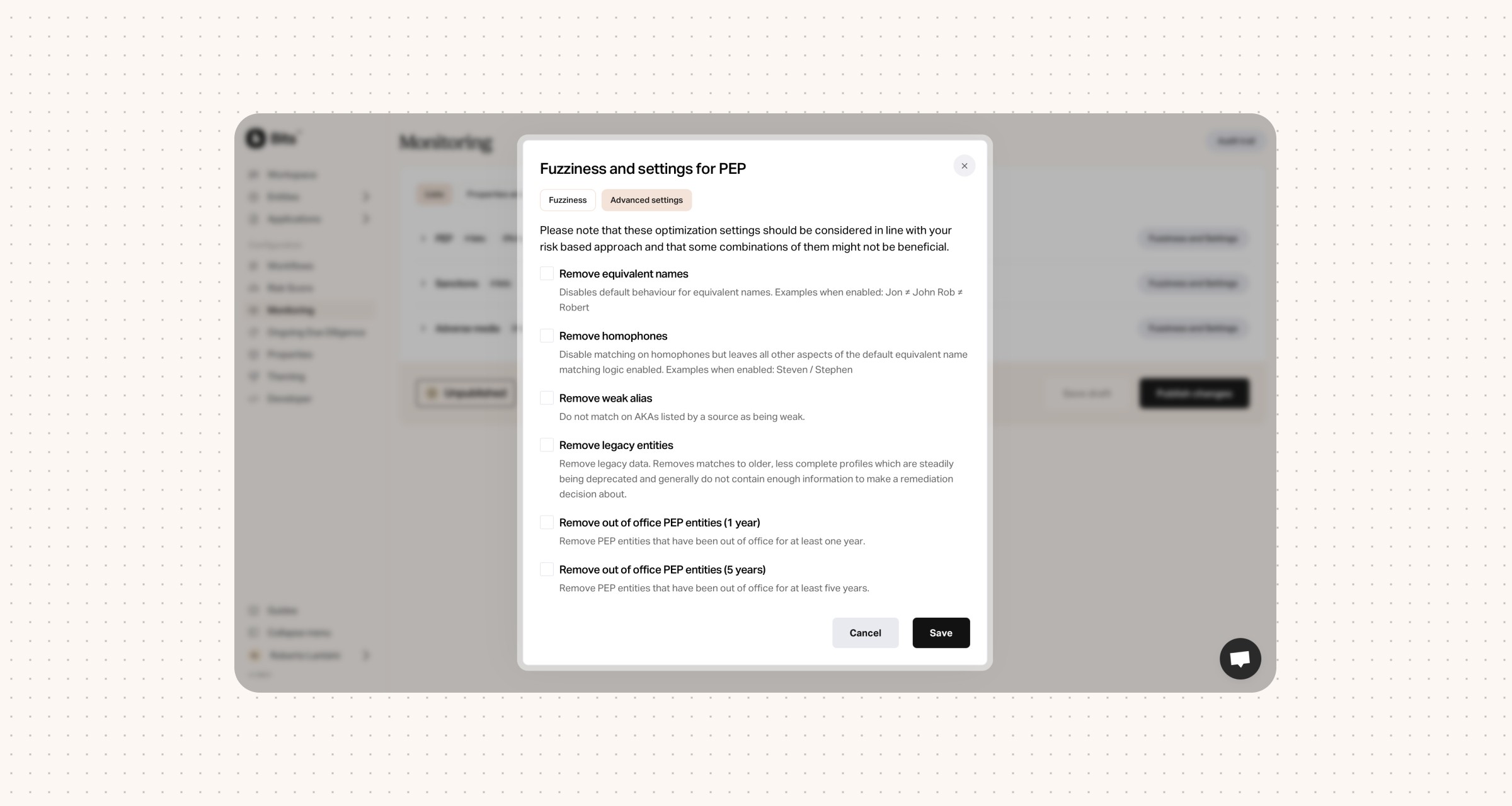
More advanced settings when setting up your PEP, Sanction and Adverse media monitoring.
For PEP, you can now configure:
Remove equivalent names
Disables default behaviour for equivalent names. Examples when enabled: Jon ≠ John Rob ≠ Robert
Remove homophones
Disable matching on homophones but leaves all other aspects of the default equivalent name matching logic enabled. Examples when enabled: Steven / Stephen
Remove weak alias
Do not match on AKAs listed by a source as being weak.
Remove legacy entities
Remove legacy data. Removes matches to older, less complete profiles which are steadily being deprecated and generally do not contain enough information to make a remediation decision about.
Remove out of office PEP entities (1 year)
Remove PEP entities that have been out of office for at least one year.
Remove out of office PEP entities (5 years)
Remove PEP entities that have been out of office for at least five years.
Visit the dashboard to see the settings for Sanctions and Adverse media.


Bits raises €12M Series A to unify AML for European fintechs
Bits raises €12M Series A led by Alstin Capital to accelerate product development and help regulated businesses expand across Europe without rebuilding compliance.

Bits Technology partners with Cardlay to deliver enhanced KYC and compliance capabilities
Bits partners with Cardlay to integrate automated KYC and compliance into card spend management, giving finance teams a seamless, regulator-ready experience.

Bits Technology launches automated KYB in Italy
Bits launches automated KYB in Italy, making compliant business onboarding faster and more reliable despite Italy's complex registry data and regulatory environment.