/

Screening and monitoring

Refresh customer data on a schedule set by risk

Schedule reviews by risk score, choose what must stay current and let Bits ask customers to update it before it expires.

What’s included

Schedules by risk

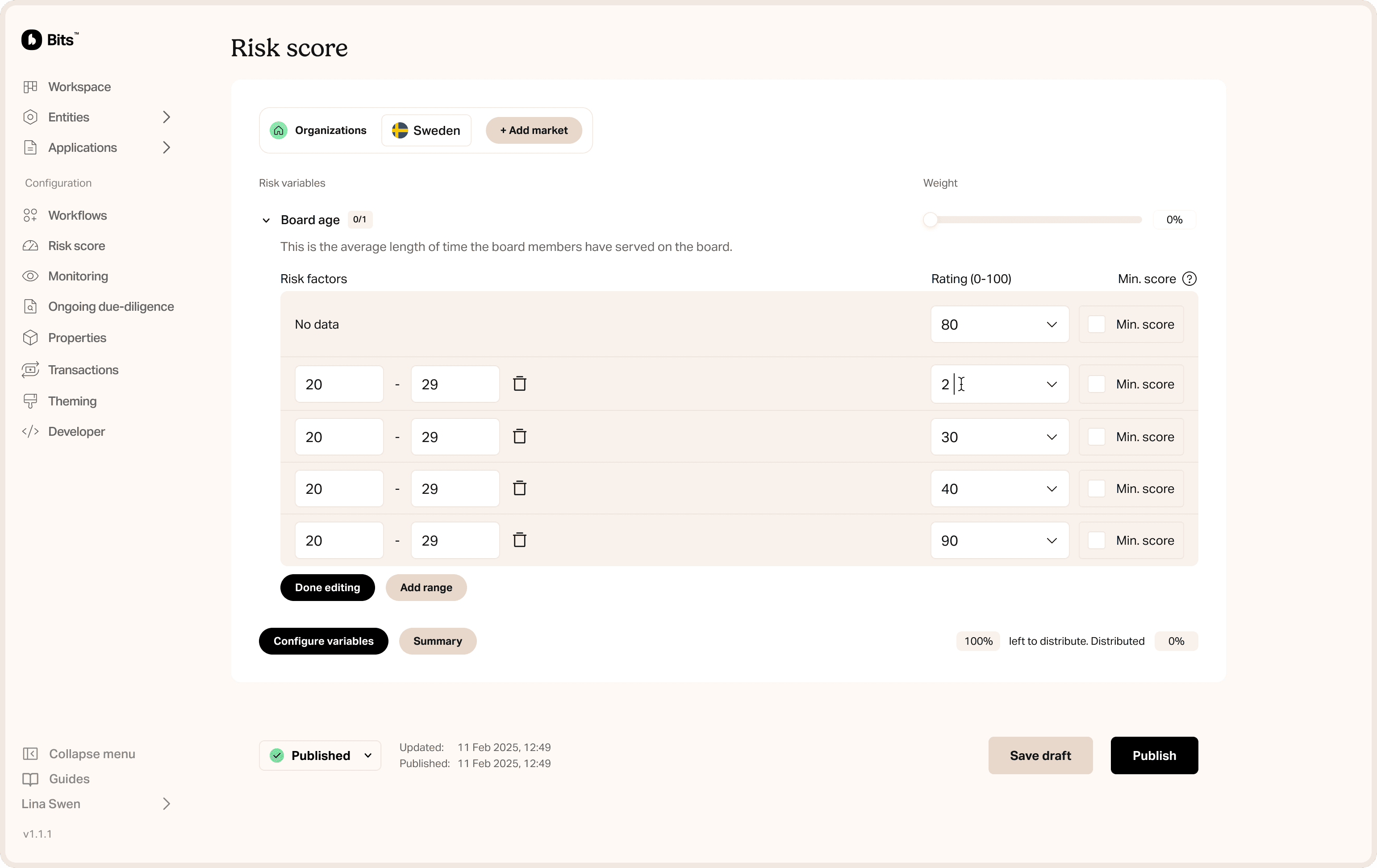
Apply a review schedule to customers in a risk score range, for example everyone from 3.0 to 4.0.

Monitored properties

Pick the properties that must stay current, such as address, company status or specific questionnaire answers.

Refresh frequency

Set how old each property may get, for example 12 months.

Advance notice

Get notified before properties expire, so reviews don’t slip.

Questions

Short answers about Periodic reviews

Can risk levels have different review cycles?

Does this help with AMLR?

More in Screening and monitoring

Automate your compliance now

Accelerating KYC, KYB, and AML compliance through intelligent onboarding, risk scoring, and transaction monitoring for regulated businesses.

Risk score view in the Bits dashboard

Automate your compliance now

Accelerating KYC, KYB, and AML compliance through intelligent onboarding, risk scoring, and transaction monitoring for regulated businesses.

Risk score view in the Bits dashboard

Automate your compliance now

Accelerating KYC, KYB, and AML compliance through intelligent onboarding, risk scoring, and transaction monitoring for regulated businesses.

Risk score view in the Bits dashboard